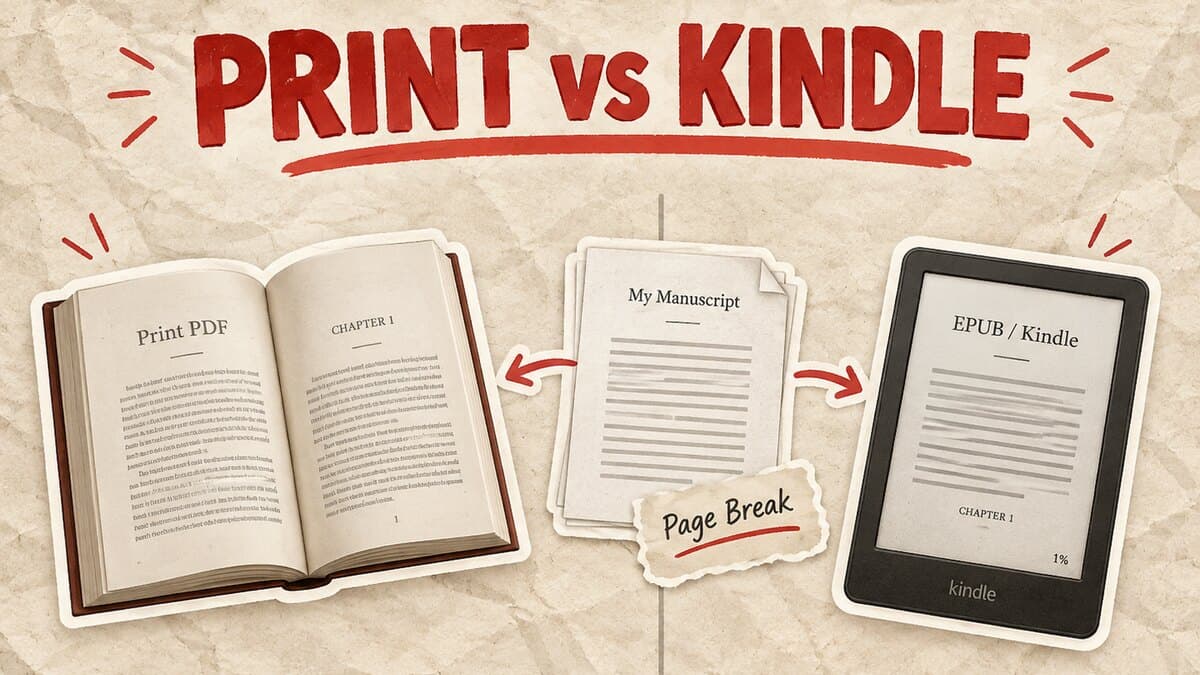

Page Breaks That Survive Publishing: Word, Google Docs, and What KDP Does With Them
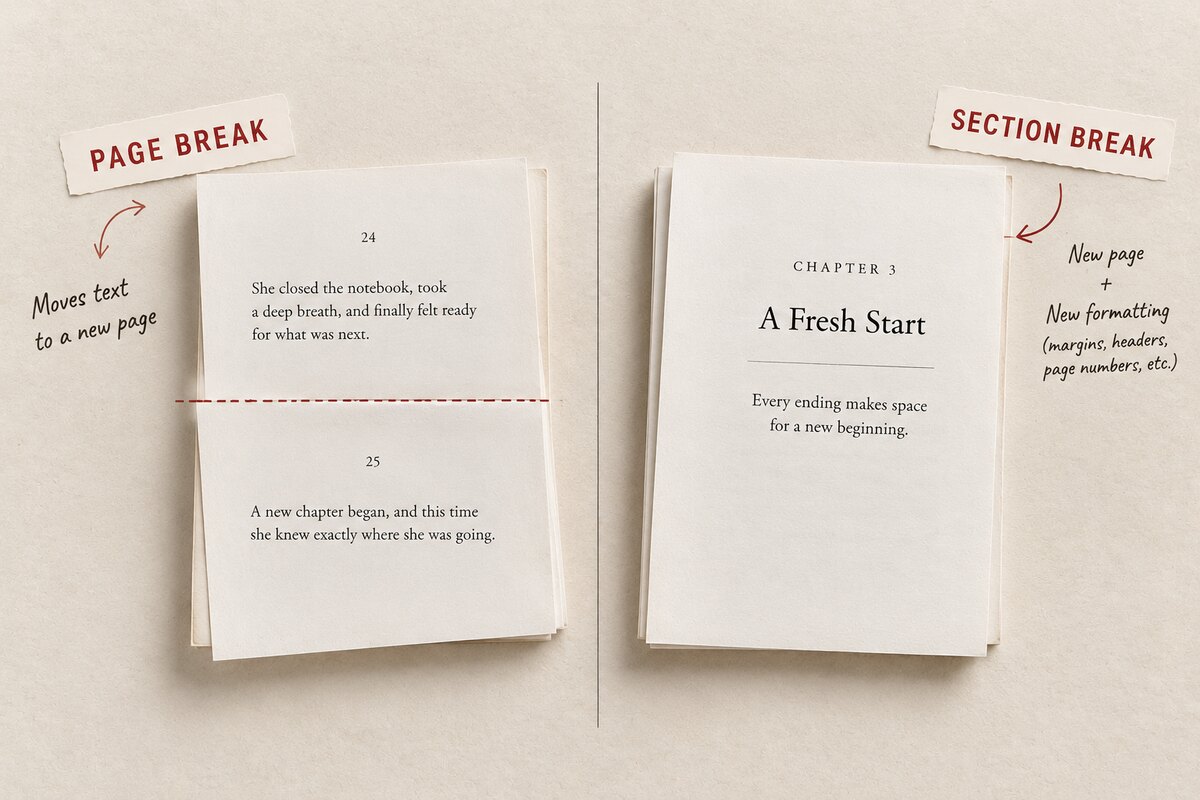
A page break moves text to a new page. A section break does that too, and also resets the page's own formatting, margins, headers, page numbering, from that point on. Word and Google Docs both use Ctrl+Enter for a plain break. None of that survives once the file reaches Kindle: a reflowable ebook has no fixed pages, so most hand-placed breaks get discarded on import.
Key takeaways
- On Kindle, a page break stops meaning "this page ends here" and starts meaning "this new screen begins here." Amazon's own Kindle Create tool converts every manual break into a new section on import, and adds its own wherever a chapter heading is applied.
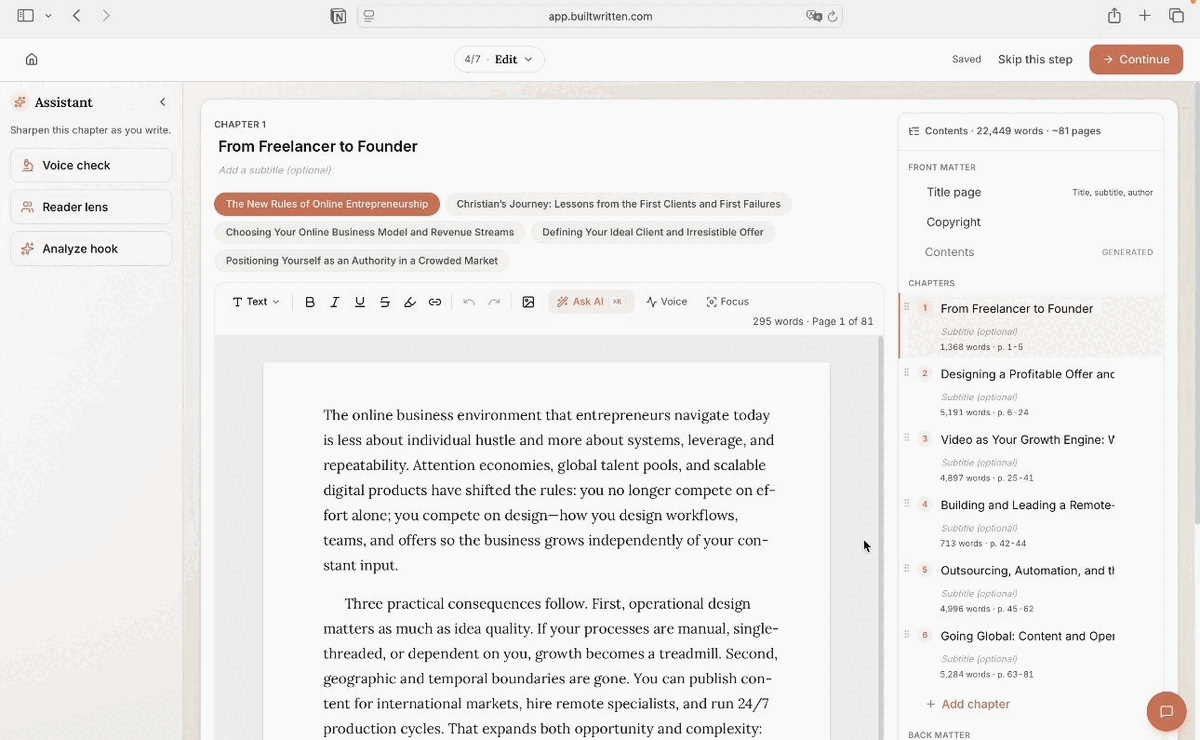
- Hand-placing every break is fragile: one added paragraph shifts everything downstream. Built&Written's Wren generates the manuscript's chapter structure and places every break automatically, correct for a print PDF and for EPUB/Kindle, so there's nothing to redo by hand.
About Built&Written: Built&Written already helps founders and consultants turn notes, calls, and LinkedIn posts into a finished, voice-matched manuscript with Wren, Built&Written's AI writing assistant. Chapter breaks and page formatting get built into that manuscript automatically, correct for both a print interior and a reflowable EPUB. See current plans if that's the part you're weighing.
1. Page Break vs. Section Break, and How to Insert Either
A page break pushes whatever follows it onto a new page, inside the same section: same margins, header, footer, page numbering. A section break does that and also lets the new section carry different formatting.
Word: cursor at the spot, Ctrl+Enter for a plain break, or Layout > Breaks > Page. For a section break, Layout > Breaks gives four options: Next Page (a new chapter), Continuous (same page), Even Page, and Odd Page, which forces the section onto the next even- or odd-numbered page and adds a blank page automatically if needed.
Google Docs: cursor at the spot, Ctrl+Enter (Cmd+Return on Mac), or Insert > Break > Page break. Section breaks are limited to two: Section break (next page) and Section break (continuous). No odd- or even-page option, which matters in the next section.
A plain page break is all most nonfiction chapters need. Section breaks earn their complexity when the front matter runs roman numerals while the body runs arabic ones, or a chapter has to land on a specific side of the spread.
| Page Break | Section Break | |
| Does | Moves text to a new page | Moves text to a new page and starts a new formatting section |
| Margins, headers, page numbers | Same as the page before | Can reset from this point on |
| Word | Ctrl+Enter | Layout > Breaks > Next Page / Continuous / Even / Odd |
| Google Docs | Ctrl+Enter (Cmd+Return) | Insert > Break > Section break (next page / continuous) |
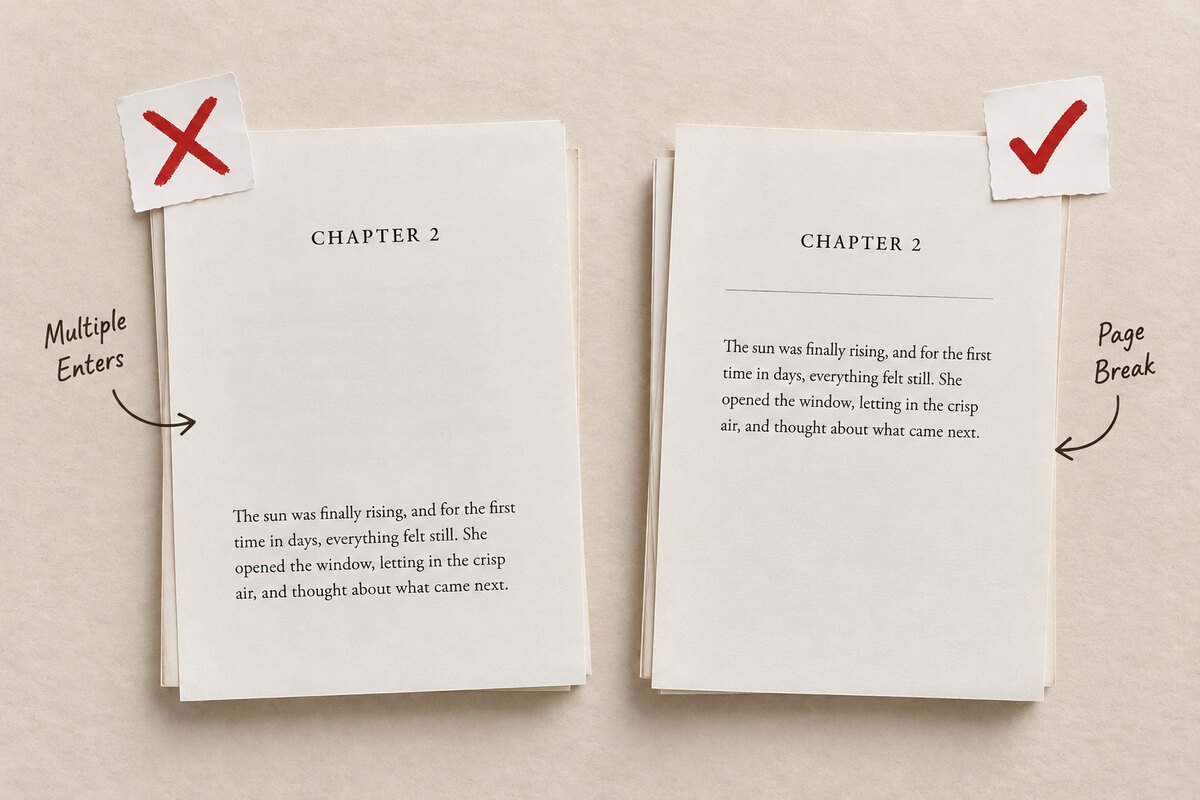
Skip the fake break: Don't push a heading down with repeated Enter presses instead of a real break. It looks identical today and breaks the moment an earlier paragraph gains or loses a line, since everything after it shifts. A real page break stays anchored to that exact point no matter what changes above it.
2. Chapters on the Right-Hand Page: Convention, Not Requirement
Print books traditionally start chapters on the recto, the right-hand page, leaving the facing verso blank if needed. It's a convention, not a rule Amazon KDP enforces: nothing rejects a manuscript for starting a chapter on the left.
Word has this built in: Layout > Breaks > Odd Page forces a section onto the next right-hand page and adds the blank verso automatically. Google Docs has no equivalent, so getting a chapter to land on the right means checking the previous chapter's ending by hand and inserting two page breaks in a row when it would otherwise fall on the left. Plenty of self-published nonfiction skips the convention entirely to save a page.
3. The Part Nobody Explains: What Happens to Your Page Breaks on Kindle
A Kindle ebook is reflowable. There's no fixed page 47, because font size, screen size, and line spacing all change where text falls, so a page break can't mean "keep this on this physical page." It means: start a new screen here.
Amazon's own Kindle Create documentation confirms it: Kindle Create converts every page break in your DOC or DOCX into a new section on import, and adds its own break wherever the Chapter Title element is applied, regardless of the manual breaks already in the file. Amazon's guidance: place breaks only before a new chapter or the back matter, not scattered through the body to control how a page fills.
That rules out most print habits: blank paragraphs to push a heading down, breaks to dodge an orphaned line. None of it survives reflow, and some of it inserts blank screens. What survives is heading styles marking a real chapter boundary, plus one clean break per chapter. Our guide to formatting a book for Kindle covers the rest of what changes once a manuscript goes reflowable.
4. Why Manual Pagination Doesn't Scale, and What Built&Written Does Instead
Every fix above works, and every one of them breaks again the moment the manuscript changes. Cut a paragraph, split a chapter, and every hand-placed break after that point is now in the wrong spot, silently, until a proof or an ebook preview catches it. Format the same file for print and Kindle separately, and the two versions need their own pass, since a Word-style break doesn't mean the same thing on either.
Built&Written's Wren removes that step instead of speeding it up. Upload drafts, voice notes, or existing posts, and Wren builds the manuscript's chapter structure directly into it: no separate formatting pass, no Ctrl+Enter to place by hand, no re-checking every break after an edit. On export, Wren places pagination correctly for each format on its own terms: a print-ready PDF with recto chapter starts and proper section breaks, and a reflowable EPUB and DOCX where each chapter opens cleanly on Kindle. One manuscript, both formats, no second formatting pass. The same export handles the rest of the interior's typesetting: margins, widows and orphans, and running heads.
A page break moves text to a new page. A section break does that and resets the page's own formatting from that point. Print books traditionally start chapters on the right; Word automates it, Google Docs doesn't. On Kindle, none of that survives: only heading styles and one clean break per chapter make it through reflow. Built&Written's Wren builds and places all of it automatically, for print and Kindle both.
Final thoughts
Pagination is invisible until it goes wrong: a chapter opening mid-page in the print proof, or a Kindle file where two chapters run together because a break never made the trip. Both are fixable once you know which break does what. Not redoing that check every time the manuscript changes is the better fix.
Frequently asked questions
What is a page break in a book manuscript?
A mark that forces whatever follows it to start on a new page, without changing margins, headers, or numbering. Ctrl+Enter in both Word and Google Docs.
What's the difference between a page break and a section break?
A page break only moves text to a new page. A section break does that and lets the new page carry different formatting, margins, headers, or numbering. Use a plain break for most chapters; use a section break when the page itself needs to change.
Do chapters have to start on the right-hand page?
No. It's a print convention, not an Amazon KDP requirement. Word automates it with an Odd Page break; Google Docs needs a manual workaround.
Does Amazon KDP keep my manual page breaks in a Kindle ebook?
Not as placed. Kindle Create converts every page break into a new section on import and adds its own wherever a chapter heading style is applied. Amazon's own guidance: use manual breaks only before a new chapter or the back matter.
How do you insert a page break in Google Docs?
Ctrl+Enter (Cmd+Return on Mac), or Insert > Break > Page break. For a section break, the same menu offers next page or continuous.
Frequently asked questions
A mark that forces whatever follows it to start on a new page, without changing margins, headers, or numbering. Ctrl+Enter in both Word and Google Docs.
A page break only moves text to a new page. A section break does that and lets the new page carry different formatting, margins, headers, or numbering. Use a plain break for most chapters; use a section break when the page itself needs to change.
No. It's a print convention, not an Amazon KDP requirement. Word automates it with an Odd Page break; Google Docs needs a manual workaround.
Not as placed. Kindle Create converts every page break into a new section on import and adds its own wherever a chapter heading style is applied. Amazon's own guidance: use manual breaks only before a new chapter or the back matter.
Ctrl+Enter (Cmd+Return on Mac), or Insert > Break > Page break. For a section break, the same menu offers next page or continuous.
About the author

Khrystyna Balushka
More in Book Formatting
Ready to write your book?
Turn your expertise into a professional book with Built&Written.